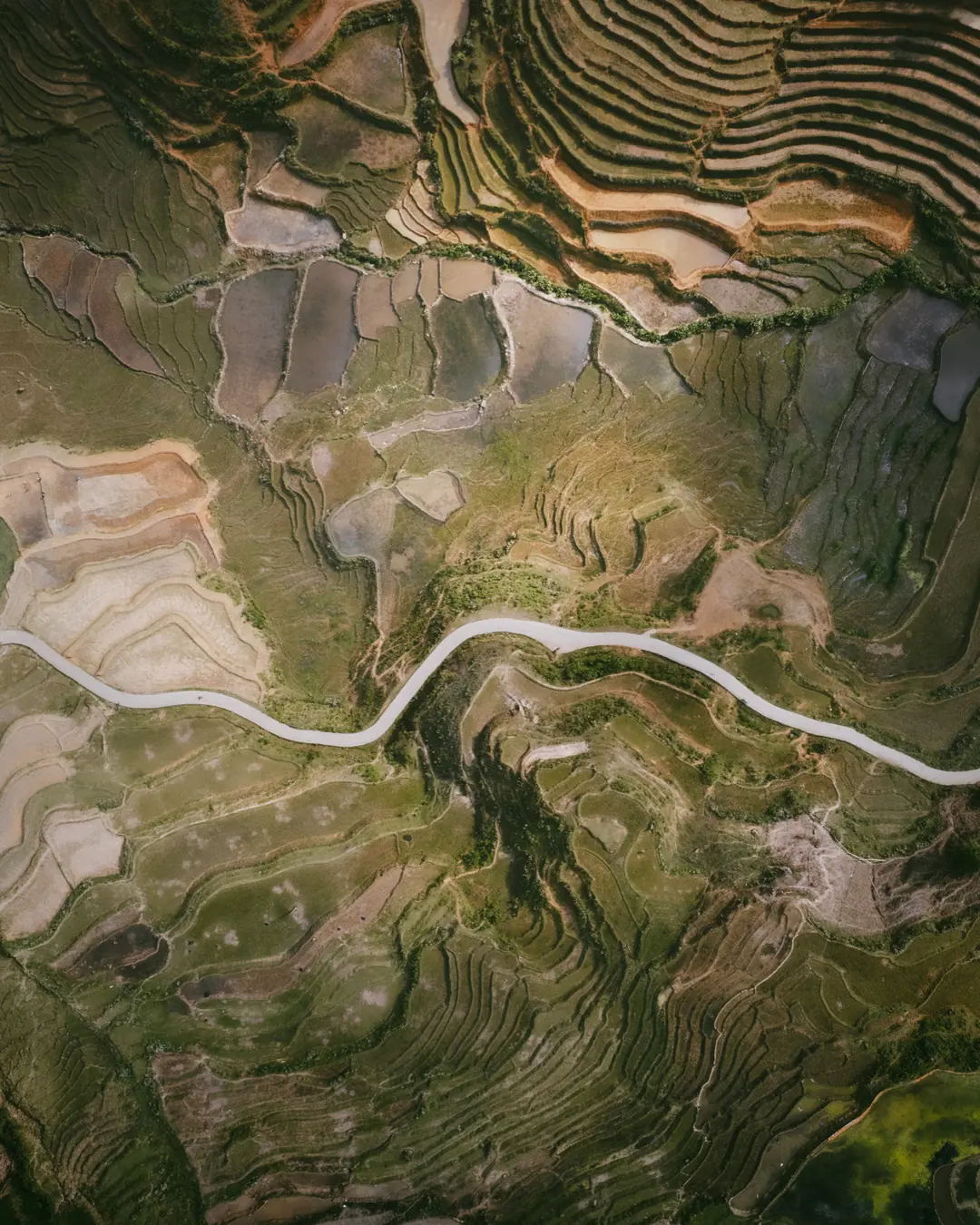
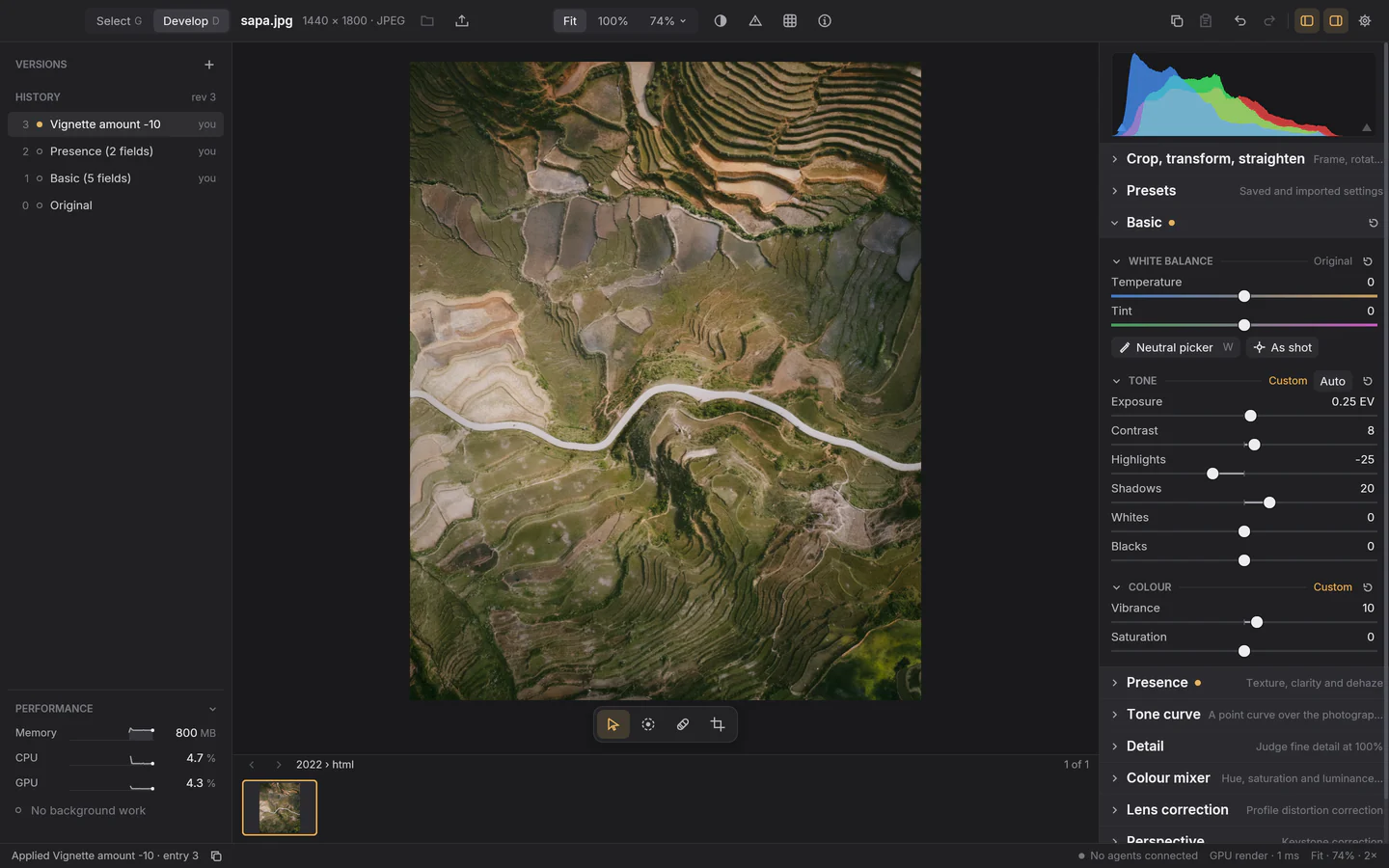
Plate I The editor today
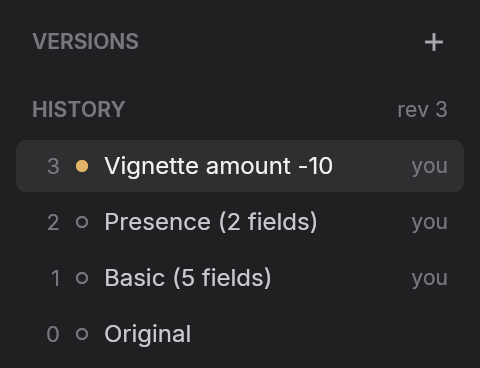
- 1Every edit is kept in the history, so you can step back to any point or save it as a named version.
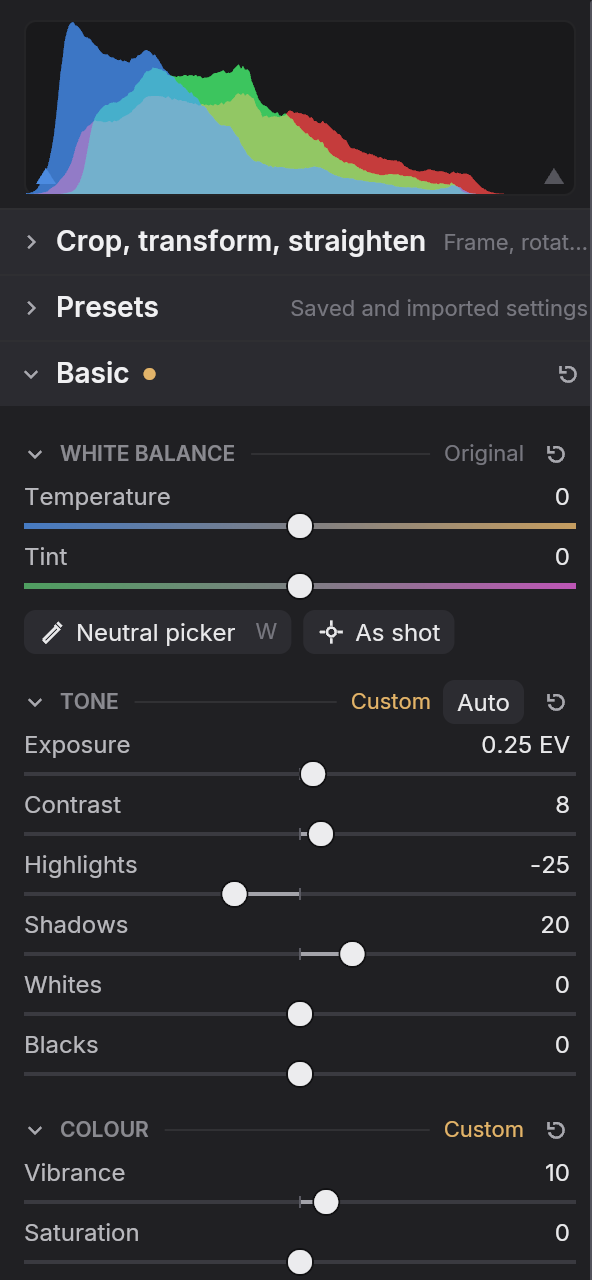
- 2Familiar Develop controls for white balance, tone and colour, with Auto tone, a live histogram and clipping warnings.
- 3The status bar says what just happened, and what drew the picture on screen: here the GPU’s render of the finished edit.

PerformanceWritten in Rust, drawn on the GPU
Fast where you feel it.
Luxforge is written in Rust and renders on the GPU. It opens before you’ve finished clicking, sorts a year of photographs while you watch, keeps up with your hand on every slider, and goes quiet when you stop.
0.3s
To open. From launch to a window ready to work.
1s
To sort a year. 3,507 photographs, 150 GB of RAW and JPEG, sorted into days, cameras, bursts and brackets.
25s
To preview all of it. Every one of those photographs, ready to look through.
40ms
To flick to the next frame. Full screen, as fast as you press the arrow key.
9ms
From slider to screen. Each move of a slider, drawn on a 20 MP RAW in the next frame of a 120 Hz display.
<1%
CPU at rest. When you stop, Luxforge stops: no busy loops, no fans, no drained battery.
On a MacBook Pro with an M4 Pro, browsing the owner’s own 2023 folder in place. Luxforge shows its memory, CPU and GPU use as it works, and any script can read them too.
API & agentsEverything is a request
API driven and agent friendly.
Everything you can do in Luxforge, a program can do too. Every slider, mask, correction, pick and export is a request through one documented API, so a script or an AI agent works on your photographs the way you do, in the same history, where you can see and undo it.
- Every action, a request. 236 methods cover developing, masks, corrections, picking, merging, exporting and history. Any control in the editor copies its own request as JSON.
- Self-describing.
schema.listexplains every method and parameter in plain words, so an agent knows what Highlights −35 will do before it sends it. - Attributed and undoable. An agent’s edits land in the photograph’s history beside yours, each labelled with who made it.
- Safe beside you. Each edit names the revision it expects. If you changed the photograph first, it’s refused rather than applied on top, and a slider you’re still dragging is kept.
Hey Claude, make the photo I have open in Luxforge look vintage.
I’ll find the photo and read its edits first.
luxforge-ctl call recipe.describe --params '{"asset_id":"asset-effb…"}'
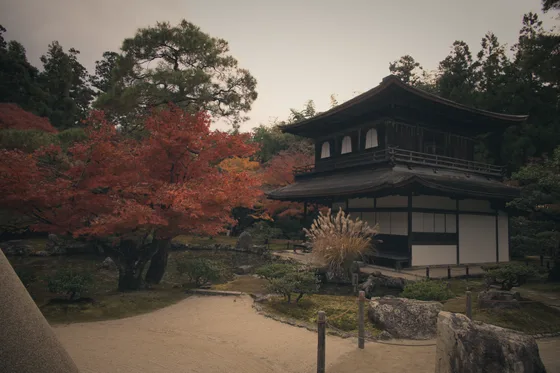
DSC_3532.NEF · Nikon Z 6 RAW · a lens profile, nothing else
Warmer light, faded tones, muted colour:
luxforge-ctl call edit.set-raw --asset asset-effb… --params '{"temperature":6900,"tint":6}'
luxforge-ctl call edit.set-basic --asset asset-effb… --params '{"contrast":-12,"highlights":-35,"shadows":25,"whites":-20,"saturation":-18,"vibrance":-8}'
luxforge-ctl call edit.set-curve --asset asset-effb… --params '{"luminance":[[0,0.09],[0.25,0.28],[0.75,0.75],[1,0.93]]}'
luxforge-ctl call edit.set-mixer --asset asset-effb… --params '{"grade-shadows-hue":195,"grade-shadows-saturation":18,"grade-highlights-hue":42,"grade-highlights-saturation":24,"green-saturation":-30,"blue-saturation":-25,…}'
luxforge-ctl call edit.set-vignette --asset asset-effb… --params '{"amount":-22,"feather":70}'
Done: a warmer white balance, lifted blacks and softened highlights for a faded-film curve, teal shadows under warm highlights, muted greens and blues, and a soft vignette. That’s five entries in its history, each one undoable in Luxforge.
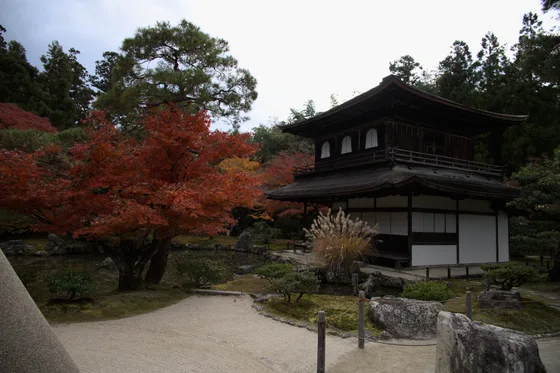
luxforge-ctl, which comes in the download. These are the commands it ran; the asset is elided.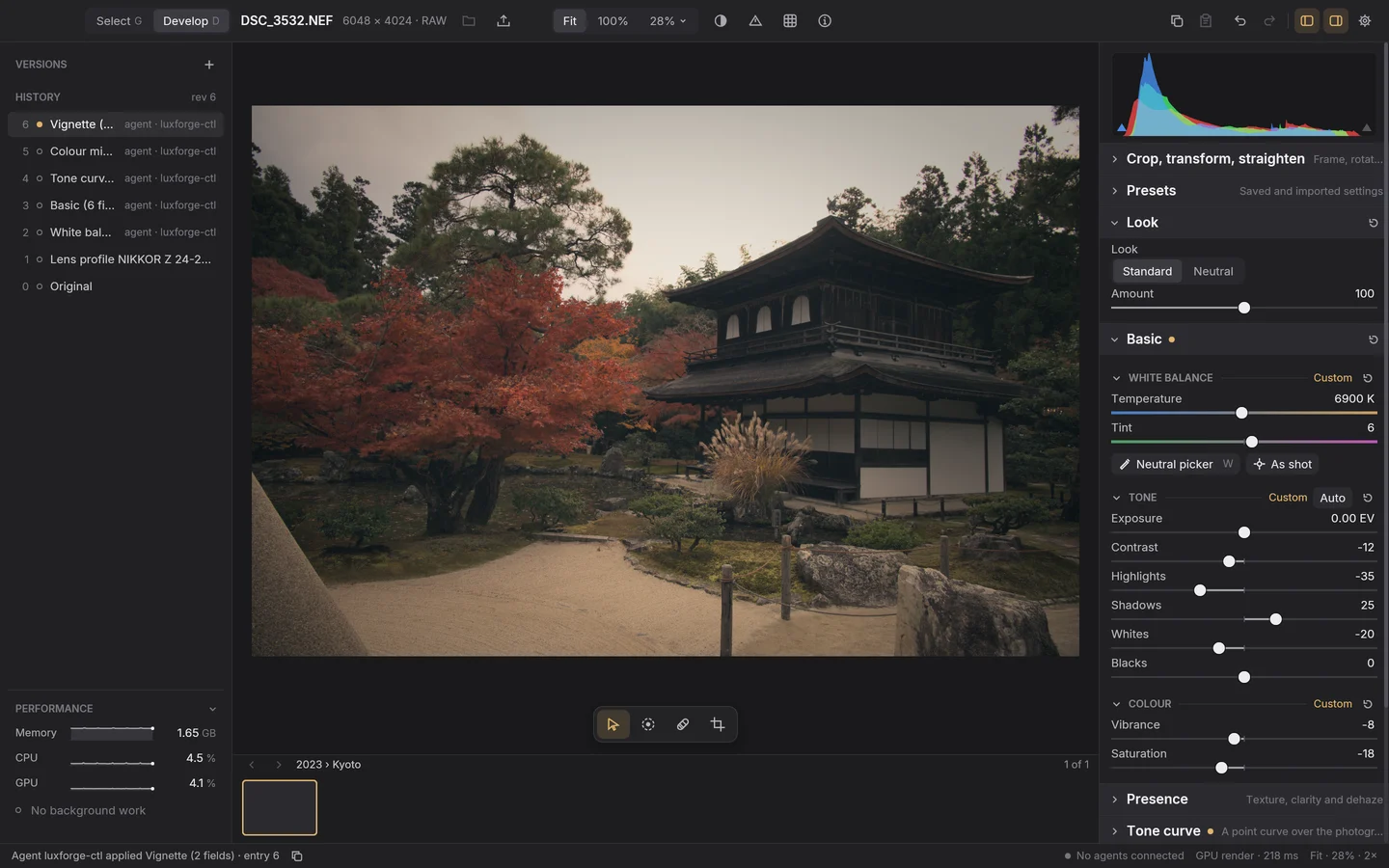
Plate II After the agent
- 1Five history entries, each signed agent · luxforge-ctl. Step back through them, or undo, as if you’d made them yourself.
- 2The sliders show the agent’s values, and you carry on from there.
- 3The status bar says who changed what, as it happens.
SelectBrowse, pick, develop
A whole trip of photographs, nothing imported.
Point Select at a folder or a camera card and browse it where it is. Luxforge sorts every frame by day, camera and moment as it reads them: bursts gathered into one choice, exposure brackets and panoramas found and ready to merge, RAW and JPEG pairs kept together. Pick the keepers, and only those come into the catalog.
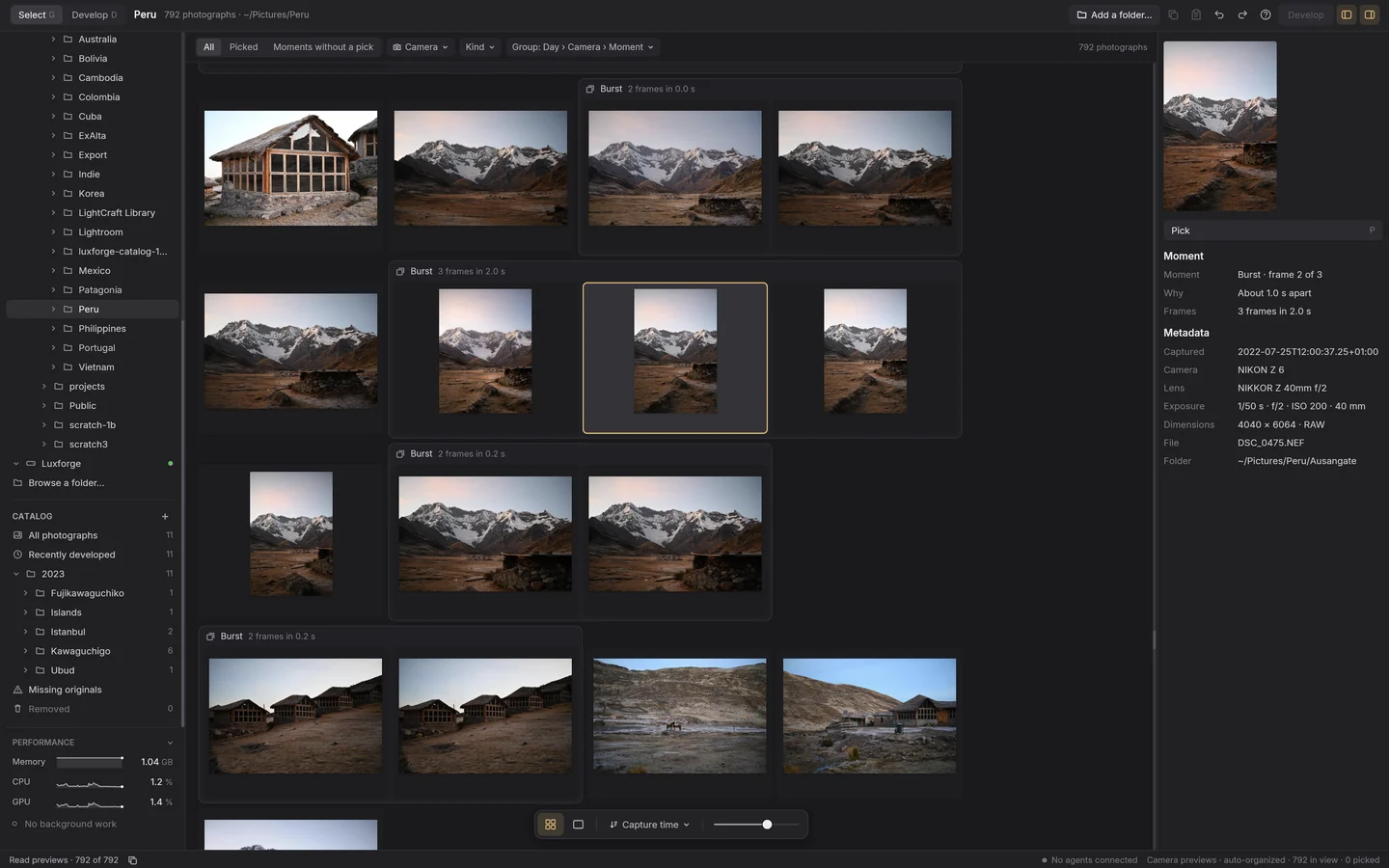
Plate III A trip in Select
- 1A 792-photograph trip, read where it sits in
~/Pictures/Peruand sorted by day, camera and moment. Nothing is copied or changed. - 2Each burst is one moment, so choosing the sharpest frame is one decision.
- 3Info says why frames belong together: frame 2 of 3, about a second apart, beside the camera, lens and exposure. Brackets and panoramas are found the same way, ready to merge.
- 4P picks a keeper; Develop takes the picks into the catalog. If an original moves, Locate finds it again.
MaskingLocal adjustments
Change one part of the picture, exactly.
Masks reach every part of Develop: Basic, the Tone curve, Detail, the colour mixer and Presence can each work through one. Draw gradients, paint with a brush, or pick a colour or a band of tones from the photograph, then combine them. Every mask is numbers in the recipe rather than pixels, so it stays sharp at any size and can be changed at any time.
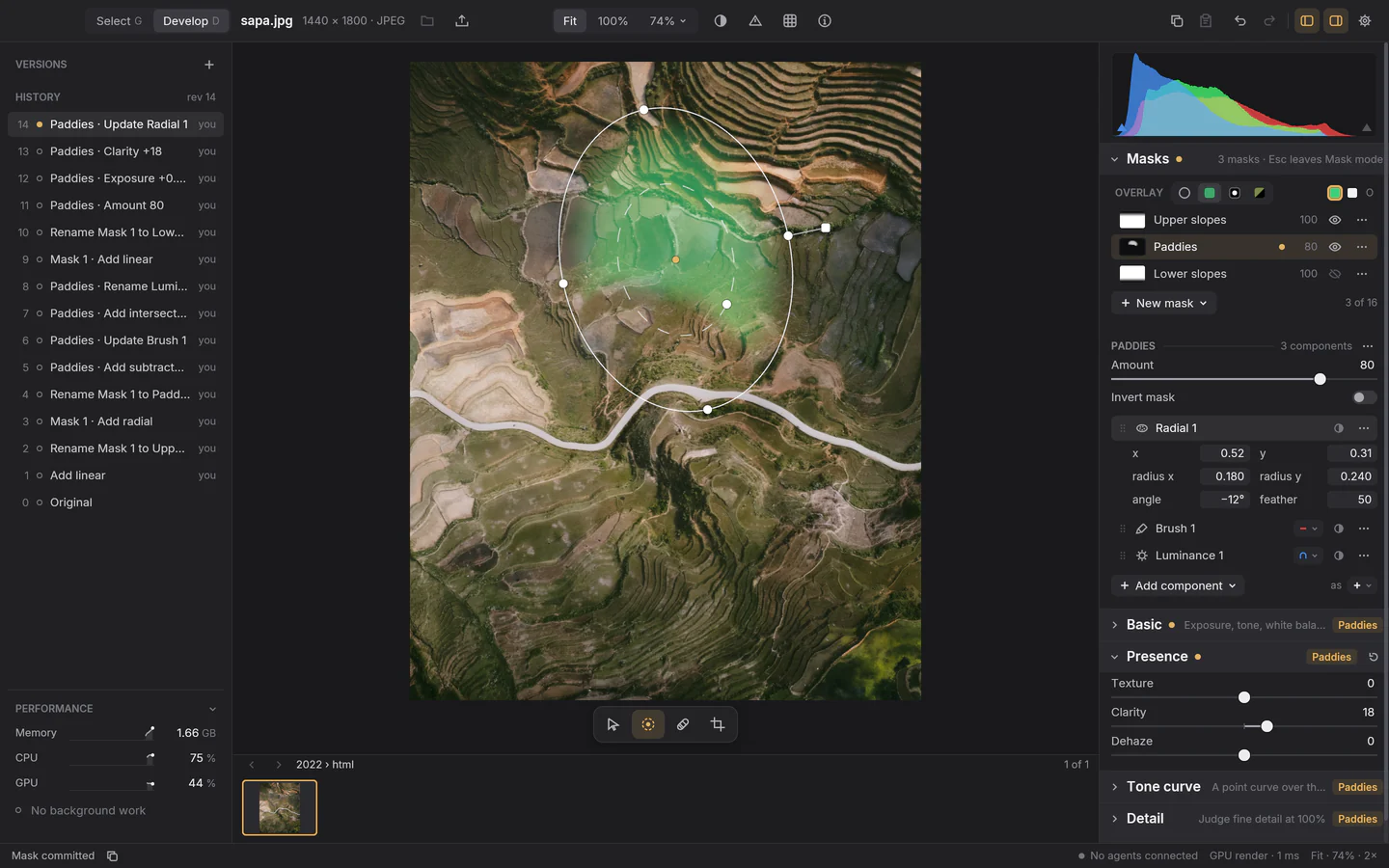
Plate IV Mask mode
- 1Up to sixteen masks on a photograph, each named, with its own amount and invert.
- 2Shapes combine: Paddies is a radial gradient, minus a brush stroke, within a luminance range.
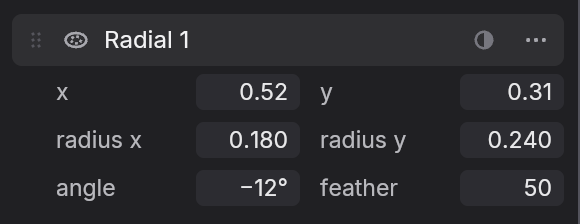
- 3Handles on the photograph and a live overlay of what the mask covers.
- 4Each section working through the mask says so, here Paddies.
- Linear and radial gradients with feather, angle and handles you drag on the photograph.
- A brush with size, feather, flow and erase, which can keep to one colour as it paints.
- Colour and luminance ranges, picked with an eyedropper from the photograph itself. An experiment in 0.1.0.
- Add, subtract and intersect any of them, invert, and set the amount. AI selection of subjects and skies is on its way.
CorrectionsHeal, Clone and Remove
Take out what shouldn’t be there.
Dust, power lines, strangers in the background. Heal and Clone fix small things in a click, finding their own source; Remove paints over something bigger and fills it in with AI that runs on your own computer, so your photographs never leave it.
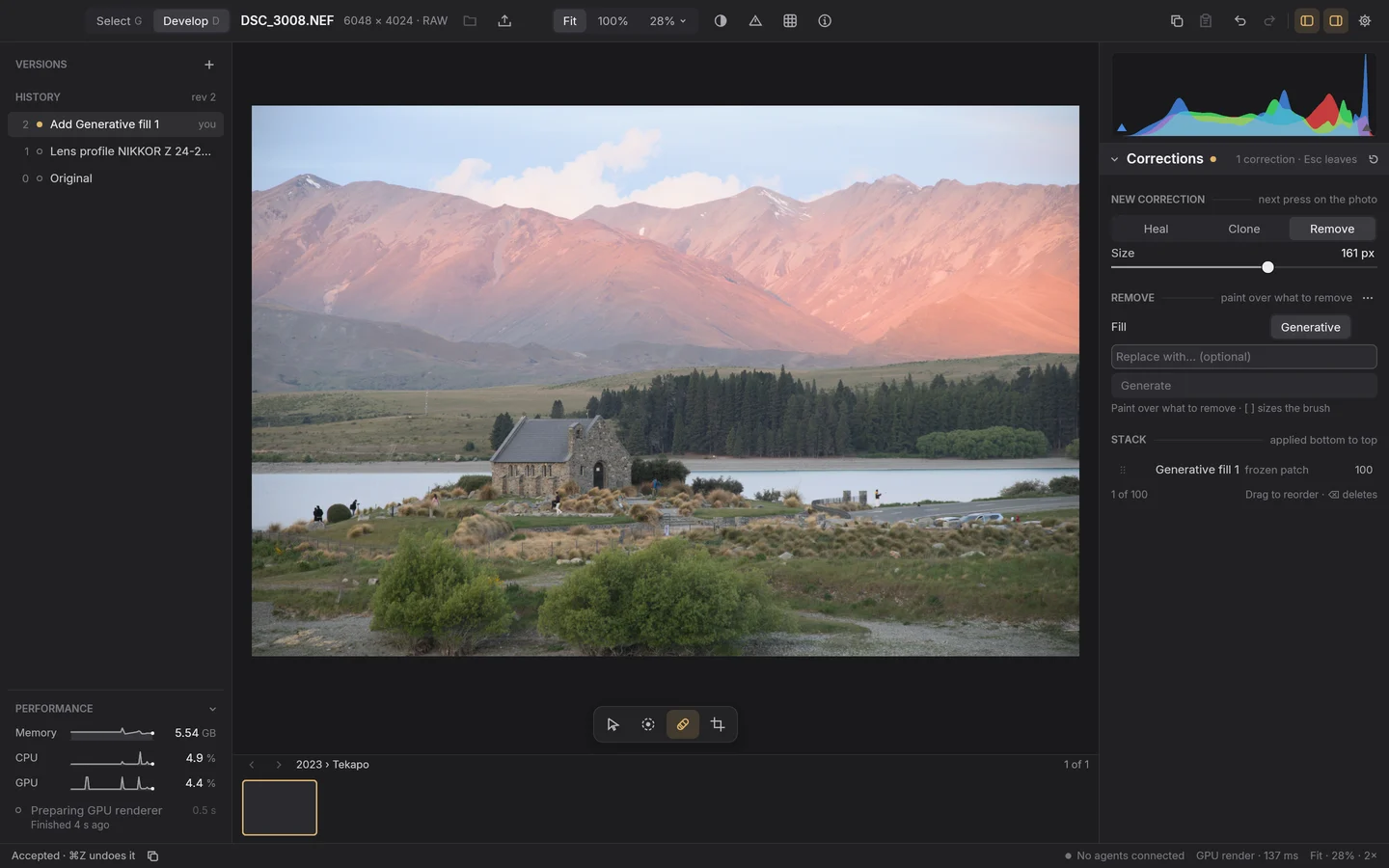
Plate V AI Remove
- 1Heal, Clone and Remove share one band. For Remove, paint over what should go.
- 2Two people on the road, gone. The fill took about two minutes, all on the Mac.
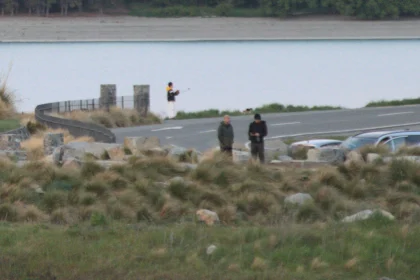
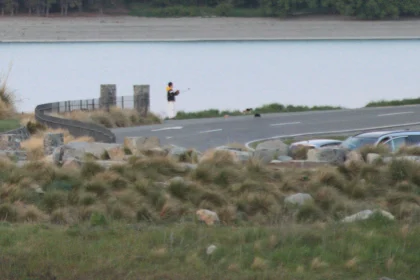
- 3Accepted, the fill is a patch in the corrections stack, one of up to 100.
- 4One history entry, and ⌘Z undoes it.
- Heal blends a patch into its surroundings; Clone copies it exactly. Both work as spots or strokes.
- Sources found for you, or set by hand, and moved whenever you like.
- AI Remove fills a painted selection on a local model, offering candidates to choose between. Describe something else and it becomes Replace. An experiment in 0.1.0.
- Nothing is final. Up to 100 corrections on a photograph, each one a history entry you can edit, reorder or delete.
State of the printWhat works, what’s next
Where Luxforge stands.
Fixed.In 0.1.0, working today
- Non-destructive editingLayers, history, undo, restore and named versions. Nothing is deleted.
- Select and the catalogBrowse folders where they are, pick, develop. Missing originals are found again.
- RAW259 camera and phone models, developed from sensor data, with a Standard look and automatic lens profiles.
- Basic and Auto toneWhite balance, exposure, tone and colour, with Lightroom’s slider responses as the reference.
- Tone, detail and colourA tone curve, Presence, sharpening and noise reduction, the colour mixer with grading wheels, and a vignette.
- Local masksGradients and brushes, combined by adding, subtracting and intersecting. Luminance and colour ranges are an experiment.
- Heal and CloneSpots and strokes, each with a source picked for it or set by hand.
- GeometryCrop, straighten, rotate, mirror and flip; lens and perspective correction.
- PresetsLightroom Classic preset import, and copy and paste of chosen settings.
- ExportJPEG, WebP and 8- or 16-bit TIFF, resized, size-limited and sharpened for screen or print.
- GPU renderingDrags, the finished picture, the histogram and exports, held to an independent CPU reference.
- ProgrammableCopy as JSON request on every control;
luxforge-jsonandluxforge-ctlfor scripts.
In the developer.Being built or proven
- HDR and panorama mergesIn 0.1.0, checked on synthetic frames; real brackets and panoramas are still to be judged.
- AI Remove and ReplaceGenerative fill on local models, behind an experiment that is off by default.
- Linux and WindowsLinux builds and passes its headless checks; native GPU checks are open. Windows comes later.
Latent.Planned, not started
- MCP adapterSo assistants that speak the Model Context Protocol can make the same edits.
- Lightroom catalog importBringing a Lightroom Classic catalog’s photographs and edits across.
Get Luxforge0.1.0, a preview
Make your own print.
Luxforge 0.1.0 is the first preview. It is pre-release software, so its catalog format can change between versions; a version that can’t read your catalog says so and leaves it as it is. It never writes to your originals, and it checks for updates and installs them when you choose.
-
macOSApple silicon, macOS 14 or later
Downloadluxforge-0.1.0-macos-arm64.dmgOpen it and drag Luxforge onto Applications. Opened from anywhere else, it offers to move itself there, the one place it can update itself from. The same app is also a ZIP.
-
Linuxx86-64, built on Ubuntu 24.04
Downloadluxforge-0.1.0-linux-x86_64.tar.gzExtract it and run
Luxforge/luxforge;./Luxforge/desktop-integration.sh installadds it to your launcher, for you alone. It needs a Vulkan driver and an XDG desktop portal, andINSTALL.txtlists the rest. Other distributions may work, but they are not tested.
SHA256SUMS · Release notes · Complete source, 263 MB · Every release
Or build it from source
You’ll need Rust (the toolchain is pinned) and the platform prerequisites in the development guide.
git clone https://github.com/Willyham/luxforge.git cd luxforgecargo xtask develop --open fixtures/s0/orientation-6.jpg
That builds an optimized editor and opens a sample photo. Point --open at any JPEG or supported RAW of your own.
Or from a script
luxforge-json and luxforge-ctl come in the download: in Luxforge.app/Contents/Helpers on macOS, and beside luxforge on Linux. luxforge-ctl drives the photograph open in the running editor. Send luxforge-json one request per line, starting with:
{"id":"schema","method":"schema.list","params":{}}